Category: Uncategorized
-
Website Design LaGrange, GA: The 5 Essential Pages Every Business Website Needs
Your website is often the first impression potential customers get of your business. Whether you’re a local shop in downtown LaGrange or a service provider reaching clients across Troup County, having the right pages on your website can make all the difference. Here are the five most essential pages every business website should include to build trust, drive engagement, and convert visitors into customers.
1. Home Page – This is your business at a glance.
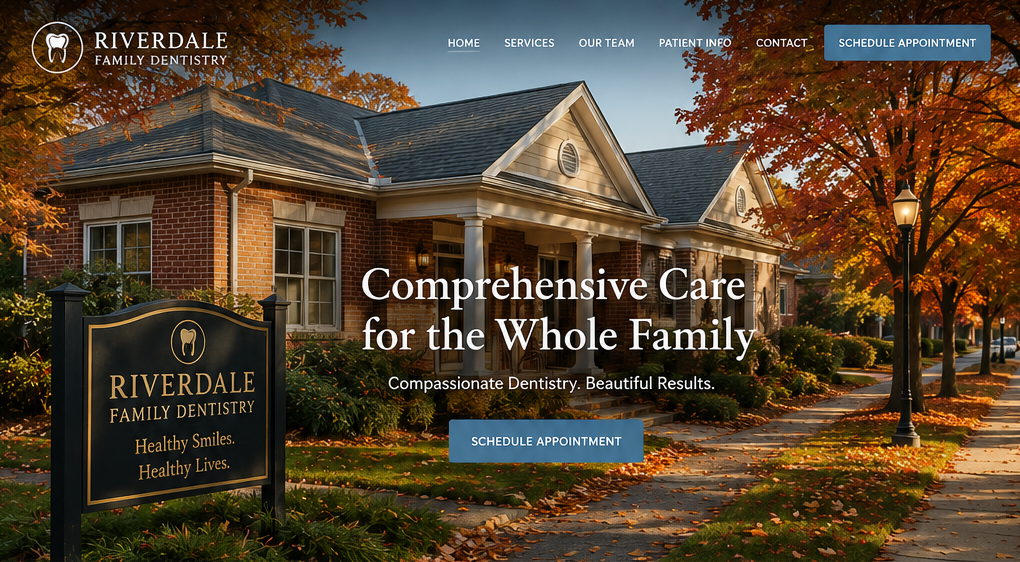
Your home page sets the tone for your entire site. It should clearly communicate who you are, what you offer, and why it matters.
Key elements:
- A strong headline with your value proposition
- A brief overview of your services or products
- Eye-catching visuals that reflect your brand
- A clear call-to-action (CTA), like “Get a Free Quote” or “Schedule a Consultation”
-

Google search has changed, and so should your website
Google Search and Google Business Profile (formerly Google My Business) have evolved significantly, especially with AI, voice search, mobile-first indexing, and local-intent results. You must adapt to how Google evaluates relevance, proximity, and prominence to rank higher in local search and your Google Business Profile (GBP).
How Google Search Has Changed (especially local search)
1. AI & Machine Learning (Rank Brain, BERT, MUM)
- Google understands user intent better, including natural language and context.
- It ranks content based on keywords, meaning, and relevance.
Optimize by:
- Writing content that answers specific customer questions (FAQs, service pages).
- Using conversational language and synonyms.
- Structuring your site clearly with headings and semantic HTML.
2. Local Pack & Map Results Dominate
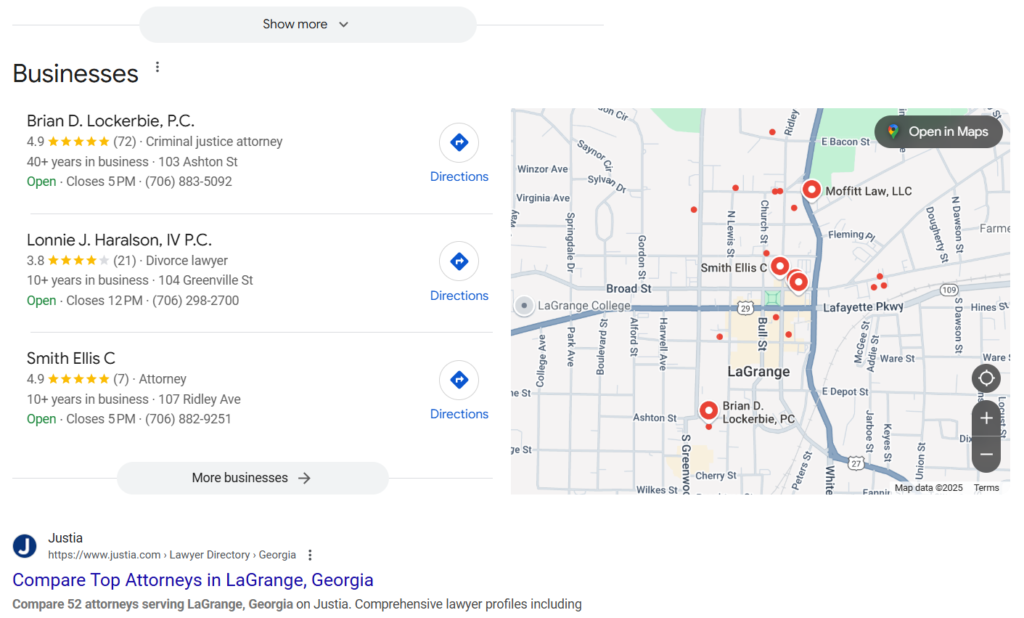
- For “near me” and service-based searches, local results (map pack) appear before websites.
Optimize by:
- Maintaining a complete and accurate Google Business Profile.
- Getting consistent NAP (Name, Address, Phone) citations.
- Encouraging positive Google reviews.
- Embedding Google Maps on your website.
3. Mobile-First Indexing
- Google prioritizes the mobile version of your website when ranking.
Optimize by:
- Making sure your site is mobile-friendly and loads fast.
- Using responsive design and compressing images.
- Simplifying navigation for smaller screens.
4. Zero-Click Searches & Featured Snippets
- Google often shows answers in snippets, knowledge panels, or your GBP before users even click a site.
Optimize by:
- Adding Q&A to your GBP and website.
- Using schema markup to help Google understand your content.
- Structuring content clearly with lists, tables, and direct answers.
5. Voice Search
- People speak differently than they type, using more natural and longer phrases.
Optimize by:
- Using long-tail keywords and natural language on your site.
- Answering “how,” “what,” “where,” and “why” questions.
6. E-E-A-T (Experience, Expertise, Authoritativeness, Trustworthiness)
- Google looks at the credibility of your content and business.
Optimize by:
- Displaying trust signals (certifications, testimonials, affiliations).
- Keeping your site updated with fresh content (blog, offers).
- Including author bios, especially on blog posts.
7. Personalized & Proximity-Based Results
- Google tailors results based on user location, history, and behavior.
Optimize by:
- Adding city and neighborhood references to your pages and GBP.
- Creating location-specific pages if you serve multiple areas.
8. User Experience Signals (Core Web Vitals)
- Speed, stability, and interactivity of your site now affect rankings.
Optimize by:
- Using tools like Page Speed Insights or Lighthouse to audit performance.
- Improving load speed and reducing layout shifts.
How to Optimize for Higher Google Business Profile Ranking
Google uses three primary factors: Relevance, Proximity, and Prominence.
1. Complete Every GBP Section
- Business name, category, hours, website, services, products, business description, and photos.
- Add keywords naturally to descriptions and services.
2. Use the Right Categories
- Your primary category has the most significant impact.
- Choose relevant secondary categories.
3. Add Photos Regularly
- Post interior, exterior, staff, services, and work samples.
- Geo-tag images with your location metadata (optional bonus).
4. Get and Respond to Reviews
- Positive, detailed reviews (with keywords) help ranking and conversion.
- Respond to every review, good or bad.
5. Post Regular Updates
- Use Google Posts to promote offers, events, updates, and blog-like content.
6. Enable and Manage Q&A
- Seed common questions and answers in the GBP Q&A section.
- Monitor and respond to customer questions quickly.
7. Use UTM Tracking on Website Links
- Help you measure traffic from GBP.
- Example: https://yourdomain.com/?utm_source=google&utm_medium=organic&utm_campaign=gbp
8. Ensure Consistent NAP Across the Web
- Directory listings (Yelp, Facebook, Yellow Pages) should match your GBP exactly.
9. Build Local Backlinks
- Get mentions from local blogs, news outlets, and chambers of commerce.
10. Add Services and Descriptions
- Use service menus to explain what you offer in detail.
- Include target keywords (naturally!) here too.
In summary, if your website has not been updated and optimized for the updated Google search, you may begin to lose ranking. This leaves you vulnerable to your competition ranking higher and getting the leads you should be getting.
-

Build a solid foundation before you build your house – this principle also applies to your marketing efforts
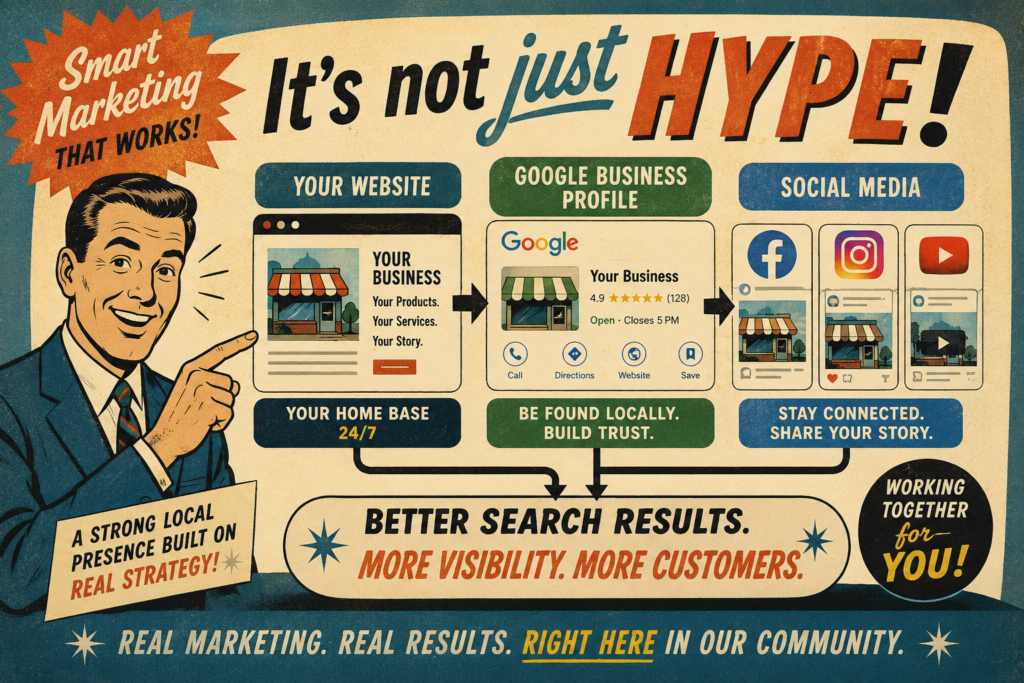
Your website serves as the foundation for all your marketing and social media efforts. Your website isn’t just a place to display your logo and contact info; it’s the foundation of your entire marketing strategy. Whether you’re running social media ads, sending emails, or distributing flyers, all efforts should ultimately lead back to your site. It’s where potential customers learn who you are, what you offer, and why they should choose you. Below are 10 key reasons why your website is the most essential marketing asset your business has.
- First Impressions Matter
Your website is often the first interaction a potential customer has with your brand. A professional, clear, and engaging site builds trust and credibility instantly. - 24/7 Accessibility
Unlike a storefront, your website operates 24/7. It allows visitors to learn about your products or services, contact you, or even make a purchase at any time. - Central Hub for All Marketing Channels
Every marketing effort — from social media to print ads to email campaigns — points back to your website. It’s the central location where leads are generated and converted. - Builds Credibility and Trust
A well-designed website with testimonials, reviews, FAQs, and professional branding helps you establish legitimacy in a crowded market. - Own Your Platform
Social media platforms can change overnight, from algorithms and rules to your reach. Your website is a digital asset that you control, providing you with stability. - Lead Generation and Conversion
Whether it’s forms, chatbots, or special offers, your site can be set up to capture leads, nurture them, and turn them into paying customers. - Search Engine Visibility
An optimized website enables you to appear in Google searches, positioning you in front of people actively seeking what you offer. - Showcase Products and Services
You can present your offerings in the best light with photos, videos, case studies, or demos — something no one-size-fits-all platform can do as well. - Trackable Results
With tools like Google Analytics, you can see what’s working — what people click on, how they found you, and which pages convert best. - Scalable and Adaptable
As your business grows, your website grows with you. Whether you’re adding e-commerce, a blog, or booking tools, your site can evolve.
By investing in a strong, well-optimized site, you’re setting the stage for every other marketing effort to succeed. Whether you’re aiming to attract new leads, convert visitors into customers, or build long-term credibility, your website is where it all begins. Make it count, and everything else you do to promote your business becomes much more effective.
- First Impressions Matter
-

Should You Use Stock Photos on Your Website?
Full disclosure, I use stock photos on this blog. There are minimal circumstances where they might be ok. Please consider the following article.
Using stock images on your website might seem like an easy solution, but it can do more harm than good. While they provide quick access to high-quality visuals, stock photos often appear generic, impersonal, and overused. Visitors can easily spot these staged images, which can make your brand feel inauthentic and unoriginal. Worse yet, relying on stock photos can weaken your brand identity, hurt your credibility, and even lead to potential licensing issues. Instead of blending in with countless other websites that use the same pictures, focus on creating original visuals that genuinely reflect your brand, culture, and message.
Here are ten reasons you should not
1. Lack of Authenticity
- Stock images often look staged and generic, making it hard to establish a real connection with your audience.
2. Overuse Across Multiple Websites
- Many stock photos are used by countless other businesses, which can make your brand seem unoriginal or even misleading.
3. Reduced Brand Identity
- Your website should reflect your unique brand, but stock images don’t showcase your actual products, team, or company culture.
4. Inconsistent Visual Style
- Stock photos often have different lighting, colors, and compositions, leading to a mismatched and unprofessional website appearance.
5. Risk of Licensing Issues
- Even with paid stock images, there can be licensing restrictions, and accidental misuse can result in legal trouble.
6. Lower SEO Impact
- Unique images can help your SEO rankings, while stock images contribute nothing to your website’s originality or visibility.
7. Visitors Can Spot Them Easily
- Users have seen the same stock faces and office scenes everywhere, making your site feel less credible and engaging.
8. Limited Emotional Connection
- Authentic images of real people, customers, or behind-the-scenes moments create trust and a stronger emotional connection with visitors.
9. May Not Represent Your Business Accurately
- A generic smiling business team might not reflect your actual staff, making your website feel impersonal or misleading.
10. Missed Opportunity for Brand Storytelling
- Custom images allow you to tell your brand’s unique story, making your website more engaging and memorable.
By using authentic, brand-aligned visuals in your blog posts, you create a more engaging and trustworthy experience for your audience. Custom images help reinforce your brand identity, build emotional connections, and ensure that your content stands out in a sea of generic visuals. Whether through original photography, branded graphics, or user-generated content, investing in unique visuals enhances your credibility. It strengthens your messaging; instead of relying on stock images that may dilute your brand, choose visuals that genuinely represent your business and connect with your readers. In today’s digital landscape, authenticity matters more than ever.
Photo by Reinhart Julian on Unsplash
-

Ten reasons to update your existing website
1. Outdated Design
- An old, cluttered, or unappealing design can make your business look outdated. A modern, clean design builds trust and credibility.
2. Mobile Optimization
- If your site isn’t fully responsive, you could be losing customers. More than half of web traffic comes from mobile devices.
3. Slow Load Times
- A slow website frustrates users and harms SEO rankings. Optimizing images, code, and hosting can improve speed.
4. Poor User Experience (UX)
- Confusing navigation, broken links, or outdated information drive visitors away. A refreshed layout and content can boost engagement.
5. Search Engine Optimization (SEO) Updates
- Google frequently updates its algorithms. Updating your content, keywords, and technical SEO can improve rankings.
6. Security Enhancements
- Outdated software, themes, or plugins make your site vulnerable to cyberattacks. Regular updates protect customer data and maintain a strong business reputation.
7. Adding New Features
- Businesses evolve, and your website should too. Adding e-commerce, booking tools, live chat, or integrations keeps you competitive.
8. Better Analytics & Tracking
- Updating your site enables improved tracking of visitor behavior, conversions, and engagement, allowing you to make data-driven decisions.
9. Rebranding or Business Changes
- If you’ve updated your logo, services, or messaging, your website should reflect those changes to maintain brand consistency.
10. Competitive Edge
- Your competitors are updating their sites. Staying ahead with fresh content and a professional look can help retain customers.
Photo by Igor Miske on Unsplash